
An electronic work order is a production or maintenance job that lives in software instead of on a printed traveler or in a spreadsheet row. Operators open it on a tablet, terminal or handheld at the machine, follow the instructions, record what they did, and sign off. Supervisors see status as it changes, and the record connects to your ERP, your quality data and, where it matters, your PLCs. For a mid-sized manufacturer, the best results come when the system is built around how your plant already runs. That is why we build these systems to fit the floor, in milestones at a fixed price, rather than asking operators to adapt to a generic package.
Table of Contents
- What electronic work orders are, and how they differ from paper and spreadsheets
- What a good electronic work order carries from creation to completion
- Where paper still makes sense
- How to replace paper work orders without stopping production
- Integration: where electronic work orders earn their keep
- Traceability for batch and process manufacturers
- Compliance and audit requirements
- Why a custom build can beat an off-the-shelf package
- How we build electronic work orders
- A short checklist before you start
- FAQ
- Sources
What electronic work orders are, and how they differ from paper and spreadsheets
A work order documents a task: what is to be done, with which resources, following which instructions and procedures. On paper, that is a printed sheet that travels with the job. In a spreadsheet, it is a row someone updates by hand. In an electronic system, it is a record with a status, an owner, attached instructions and fields that the operator fills in at the point of work.
The practical differences show up in four places:
- Visibility. McKinsey’s Industry 4.0 research on discrete manufacturing finds that paper-based assembly workflows make it hard to keep accurate, current information on work order progress, parts location and assembly sequence, especially where no two products are alike.
- Change control. The same report notes that engineering changes reach the shop floor with significant delays on paper, so workers end up executing tasks from outdated work orders, which causes rework and longer lead times.
- Data re-entry. Paper and spreadsheets need someone to type results into another system. Each re-keying step is a chance for error and a delay before anyone can use the data.
- Loss and damage. Paper gets smudged, torn and misplaced. Spreadsheets get overwritten or copied into five versions.
Spreadsheets deserve a fair word. They are fast to set up and easy to customize, and for a small shop with one line and a few jobs a day they can be enough. They stop working when several people need to update the same job, when you need an audit trail, or when the numbers must flow into your ERP without someone retyping them.
What a good electronic work order carries from creation to completion
The lifecycle is similar across plants, even when the vocabulary differs. A typical flow looks like this:
- Creation. The order is released from your ERP (Microsoft Dynamics 365 Business Central, SAP, Epicor, Infor, or whatever you run) or created from a schedule, a maintenance interval or a manual request.
- Review and assignment. A supervisor checks priority, materials and capacity, then assigns the job to a line, cell or operator.
- Pre-start checks. Automation World’s walkthrough of a digital workflow describes a supervisor selecting the first scheduled order and marking it ready, which triggers a digital pre-start check sheet that verifies equipment condition and material availability. Submitting the sheet acts as a digital signature, so accountability is built in.
- Execution. Operators follow step-by-step instructions on a tablet or handheld and record quality checks. The same source describes quality checks running on a schedule, such as every 30 minutes, or triggered by product count.
- Completion and review. When the last task is signed off, the order closes. Managers can review a timeline of equipment and operator events in a single audit thread and look at measures such as OEE (overall equipment effectiveness, a standard measure of how much of planned production time is truly productive).
- Downstream updates. Closing the order should post quantities, material consumption and status back to the ERP so inventory and costing stay current.
Keep the record short. A work order exists to give the person doing the job clear, current information. A form with every field anyone ever asked for slows operators down and produces worse data, because people start clicking through. Include what the operator needs to do the job and what you need to trace it, and cut the rest.
Where paper still makes sense
Be honest about fit. Paper can be the right answer for a low-complexity process, a location without reliable network access, or as an emergency backup when a tablet or the network goes down. If you run a single simple operation with a handful of jobs a day and no traceability or customer audit requirements, a well-organized spreadsheet or paper system may cost you less than software and serve you just as well.
Paper stops being the right answer when any of these are true:
- You cannot tell where a job is without walking the floor.
- Operators work from printed revisions that may be out of date.
- A customer or regulator asks for batch or lot records and you assemble them by hand.
- Someone re-types shop-floor results into your ERP every shift.
- A legacy application holds the schedule, nobody wants to touch it, and the floor works around it with paper.
If two or three of those describe your plant, electronic work orders will probably pay attention to your time and budget.
How to replace paper work orders without stopping production
The approach that works is incremental. You do not need a plant-wide cutover on one weekend. Here is the sequence, with what to watch at each step.
1. Map how work actually moves
Walk the floor and follow a real job from release to shipment. Note every sheet, whiteboard, spreadsheet and sticky note it touches. Plant Engineering recommends assessing where and why paper is used before digitizing and looking at how data flows between your existing MES, ERP and historian systems. The reason to do this first is that some paper habits exist for good reasons (an operator’s note about a worn fixture, for example) and should survive in the new system, while others only duplicate administration and should go.
This mapping is the first deliverable of our paid Design & Discovery work, so the scope and fixed price that follow rest on how your plant runs and not on assumptions.
2. Pick the first process
Start where paper hurts most. Plant Engineering suggests paper-heavy, error-prone or compliance-critical processes such as batch records, SOPs (standard operating procedures), shift handover logs, equipment checklists, quality inspection forms, and utility or calibration logs. A single line or a single product family is a good first target because you can watch it closely and fix problems before they spread.
3. Design forms for the operator, not the office
Operators wearing gloves and standing at a machine will not tolerate a long form. Plant Engineering recommends step-by-step instructions with progress indicators, drop-downs and guided entry, auto-populated fields, conditional logic (a field appears only when it applies) and embedded help. Copying a paper form field for field onto a screen usually produces a form nobody likes. Ask operators which fields they actually use.
Think about the device, too. McKinsey points to rigid tablets and digital terminals on the shop floor so work orders and instructions based on the latest design revision are accessible at all times. Plan for dead spots in Wi-Fi coverage and decide what happens when a tablet cannot connect, since a work order is only useful if the operator can open it at the machine.
4. Pilot with the people who will use it
Plant Engineering recommends stakeholder engagement, training and piloting a process before a broader rollout. Pick a pilot shift with operators who will give you blunt feedback. Run paper in parallel for a short, defined period so production never depends on unproven software, then retire the paper once the pilot team trusts the screen.
This is where building around your plant pays off. Our engineers use AI-guided development with automated tests on every feature to put working software in front of operators in weeks, which means operators can react to something real instead of a specification. Delivery is in milestones at a fixed price, so a pilot change request is a conversation about scope, not a surprise on an invoice.
5. Roll out line by line and measure
Expand once the pilot is stable. Measure what matters to you: data completeness, time to complete an order, how quickly a supervisor can see a stalled job. One caution from the field is that digital volume alone does not prove a better process. A thousand electronic records are only an improvement if the data in them is complete and used.
Integration: where electronic work orders earn their keep
A standalone electronic form is better than paper, but it still leaves a gap if someone re-keys the results into your ERP. The larger payoff comes from connecting the work order to the systems around it.
Quality Magazine’s guide to manufacturing data integration explains the usual division of labor. The ERP sends production orders, material requirements and schedules down to operations. The MES (manufacturing execution system, the software that manages and records work on the floor) returns actual output, material consumption, yield and status. The ISA-95 standard defines this exchange.
McKinsey describes a common starting point in many companies: the enterprise software layer is not consistently connected to the factory, data sits in silos, and people translate between layers by hand, often in spreadsheets, which limits transparency and invites error.
For your own plant, the questions are specific:
- ERP. Does the work order release from, and post back to, Business Central, SAP or your current system? Which fields are the source of truth for quantities and routings?
- Scheduling. Does the schedule live in the ERP, a spreadsheet or an older in-house application? Electronic work orders are only as good as the schedule feeding them.
- PLCs and machines. Can cycle counts, temperatures or states be read from the PLC (the controller that runs the machine) so operators do not type what a machine already knows? Plant Engineering notes that where automation is limited, low-cost sensors, such as a wireless temperature logger feeding an inspection form, can fill data gaps without PLC integration.
- Legacy applications. Quality Magazine recommends starting with one decision that currently requires manual reconciliation, connecting only the few records needed, and agreeing on identifiers, timestamps, units and definitions. That advice applies directly to an aging SQL Server or Access application: wrap it and connect it rather than rip it out.
McKinsey also describes three integration strategies for discrete manufacturers: build on the ERP and work down to the floor, build on an established MES and integrate up and down, or integrate machine by machine at the PLC level. The ERP-first route suits high-volume production, the MES-centric route suits mass-customized production, and machine-by-machine integration suits small-lot work with long-lived machines and high quality demands. Which one fits you depends on your product mix, and it is worth deciding deliberately before any code is written.
When the plant’s systems are old, we modernize them piece by piece instead of replacing them. Our legacy software modernization work keeps what the floor depends on running while new work order screens and integrations are added around it.
Traceability for batch and process manufacturers
If you make food, chemicals, adhesives, coatings or anything else sold in lots, the work order is the backbone of your traceability. Quality Magazine describes a chain that runs from work order to product, to material lot, to machine, to process conditions, to inspection result. With shared product, batch, serial number, asset and time references across systems, you can determine whether a process change, alarm, material lot or machine condition came before a defect.
The cost of weak traceability is concrete. PTC’s guide to connected systems in discrete manufacturing notes that without it, manufacturers may face a wide window of suspect product because they did not know what configuration shipped on a given order. A narrow, defensible recall scope comes from records that tie materials to batches to orders.
Our clients have tracked 31 million pounds of raw material across 4,000 batches in systems we built, and the same lot-to-order linkage is what electronic work orders provide when they are designed for it. You can read how we approached work order management for manufacturing in a client project.

Compliance and audit requirements
If you operate under FDA, OSHA or ISO audits, the electronic system has to do more than display a form. Plant Engineering says version control should show the form’s revision number, log who submitted and when, alert users to revisions, and keep exportable audit logs. For regulated records, electronic signatures and validation tools support 21 CFR Part 11 compliance (the FDA rule on electronic records and signatures). Decide your compliance requirements before design, because adding audit trails and signature controls later costs more than building them in. Your quality manager or regulatory advisor should confirm which of these apply to your products.
Why a custom build can beat an off-the-shelf package
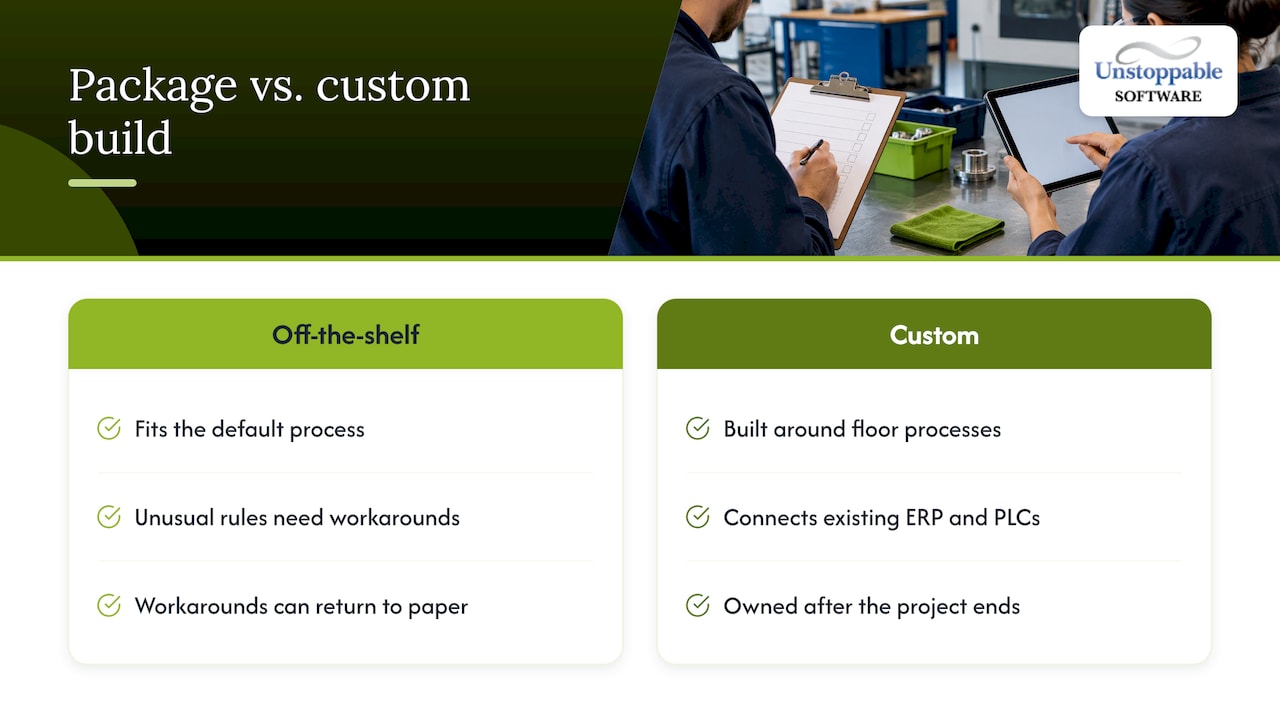
Packaged maintenance and work order tools suit plants whose process looks like the product’s default process. They get awkward when your routings, inspection steps or batch rules are unusual, because the plant ends up working around the software. That is the pattern we see described by manufacturers outgrowing spreadsheets and paper: the off-the-shelf system forces workarounds, and the workarounds quietly turn back into paper.
A custom system is built around the way your floor works, connects to the ERP and PLCs you already have, and is owned by you when the project ends. We have built manufacturing software for eighteen years, and clients have automated more than $200 million a year in orders through the systems we delivered. If your needs are simple and a packaged tool fits, use it. If your process is specific, read our view on cases where custom software beats off the shelf.
Operator-facing work tends to succeed when instructions are clear and current at the point of use, whether the job is a production run or field maintenance such as pipeline maintenance basics. The same principle drives how we design screens for the floor.
How we build electronic work orders
We build shop-floor work orders, batch and quality tracking, scheduling, and ERP and PLC integrations for mid-market manufacturers across Ohio and the Midwest. Every engagement starts with a paid Discovery, moves through milestones at a fixed price, and ends with you owning the code. The same team stays to support it through application support and maintenance.
Running on paper or spreadsheets? Let's talk about what to build first.
If paper travelers or spreadsheets are slowing your floor, start with a conversation about custom MES solutions or contact us through Unstoppable Software to scope a Discovery around your first line.
A short checklist before you start
- Name the first process and the line that will pilot it.
- List every system the work order must read from or write to (ERP, scheduling tool, quality database, PLCs).
- Agree on identifiers: product, batch, serial number, asset, timestamp format and units.
- Decide what the operator does when the network or tablet fails.
- Write down the compliance records you must keep and for how long.
- Choose two or three measures, such as data completeness and time to complete an order, and record them before and after.
- Name an owner for required fields, user permissions and status definitions. An incomplete work order stays incomplete even when it is digital.
FAQ
What is the difference between an electronic work order and a CMMS work order?
A CMMS (computerized maintenance management system) work order covers maintenance tasks on assets. An electronic production work order covers making product: routing steps, materials, quality checks and batch records. Many plants need both, and they should share asset and material identifiers so records line up.
Can we go paperless without replacing our ERP?
Yes. Electronic work orders can read released orders from your existing ERP and post quantities and consumption back to it. Quality Magazine recommends starting with one decision that needs manual reconciliation and connecting only the records required, which keeps the first project small.
Which processes should we digitize first?
Start with paper-heavy, error-prone or compliance-critical work: batch records, equipment checklists, quality inspection forms and shift handover logs are the examples Plant Engineering gives. Pick one line, pilot it, and expand after operators trust it.
What happens when the network goes down?
Decide this during design. Options include offline entry that syncs later, or a defined paper fallback for outages. Test the fallback with operators before go-live so production does not stop.
Sources
- Industry 4.0: Capturing value at scale in discrete manufacturing (McKinsey)
- Ways to digitize manufacturing with a paper-on-glass strategy (Plant Engineering)
- Manufacturing Data Integration: How to Connect MES, ERP and Shop Floor Data (Quality Magazine)
- How a Digital Workflow Fits within Manufacturing Processes (Automation World)
- A Guide to Connected Systems in Discrete Manufacturing (PTC)